Lab 3.7 - Production is broken: hotfix and retrofit
Level: 3 Release Manager
Time: ~35 min
You will: take one broken formula from production to a fix that is live, then bring that fix back down into the pipeline so nothing undoes it.
The situation
17:40 on a Friday. Planners close the week by cancelling the installations the crews could not reach and back-dating them to the day the job was called off. Every one of those saves is refused.
The formula of the Installation_Date_Not_Past validation rule exempts installations that are
Completed and says nothing about the ones that are Cancelled, so a job that will never happen is
being held to a rule about scheduling it. It is one missing condition, and it is stopping the
planners from closing their week.
A hotfix does not skip the pipeline. It enters it further along. An ordinary story starts on
integration and travels integration to uat to preprod to main. A hotfix starts on
preprod, the branch that holds exactly what production runs, and travels preprod to main. Same
branches, same protection, same checks, same deployment jobs. Only the entry point differs, which is
why Lab 3.1 put preprod in availableTargetBranches.
One thing follows from that, and Part 3 is about it: uat and integration never saw the commit,
so the next release from integration would deploy the old formula over the fix and bring the
incident back. Bringing main back down is the retrofit, and it is not optional.
Before you start
- Lab 3.6 finished: the release is in production
-
helios-preprodandhelios-prodconnected in Orgs Manager - Nothing waiting in the Source Control panel that you still care about
Part 1: the fix
1. See what is broken, in production
Open helios-prod and look at the rule itself: Setup > Object Manager > Installation >
Validation Rules (1), then Installation_Date_Not_Past (2).
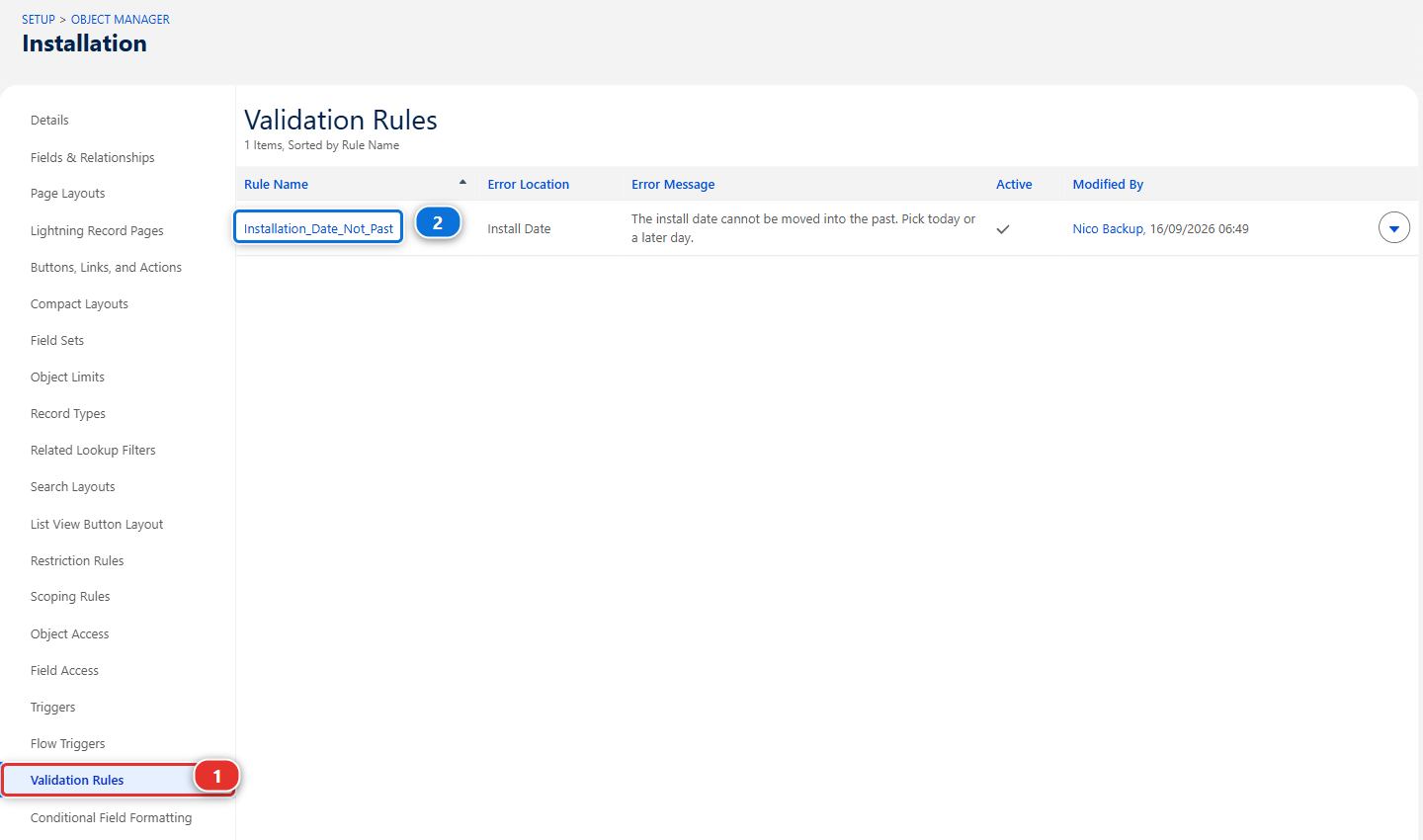
Its formula today:
AND(
  ISCHANGED(Install_Date__c),
  Install_Date__c < TODAY(),
  NOT(ISPICKVAL(Status__c, "Completed"))
)
Three conditions, and two of them already did their job. ISCHANGED is why an old record can still
be saved as long as nobody touches the date, and the Completed exemption is why a finished job can
be dated when it actually happened. Whoever wrote this thought about it. They just wrote the list of
exceptions before anybody had invented a second way of being an exception.
Confirm it before you call it an incident. Open any installation in helios-prod, set its
status to Cancelled, put yesterday's date in Install Date, and save. The error message in the
picture above is what you get. That is the report reproduced, on the real org, in thirty seconds.
2. The developer branches the fix from preprod
The fix is Romain's to write, not yours: a release manager reviews and ships what contributors send, and does not write their features. Training: Level 3 > Simulate my teammates, and pick US-045 Hotfix: cancelled installations can be back-dated again.
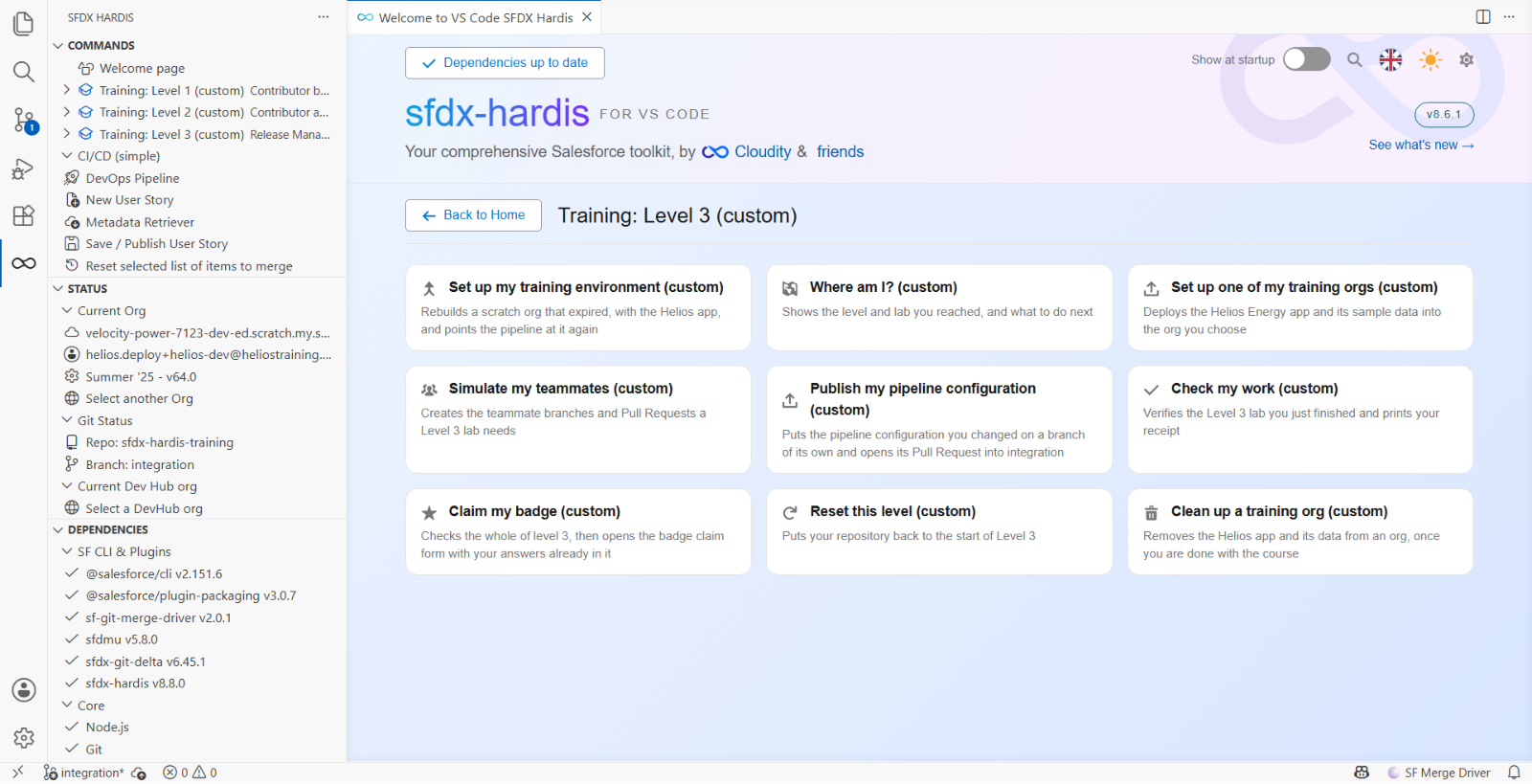
It opens his Pull Request from fix/US-045-installation-date-hotfix into preprod. His branch
was cut from preprod, which is what New User Story does when the target is preprod.
Never branch a hotfix from integration
integration carries next week's work. A fix branched from it ships next week's work to
production tonight, on top of an incident, untested by anybody. This is the single most
expensive mistake available in this lab, and the reason preprod exists.
3. Review the fix
Open the Pull Request, Files changed (1). One file, the validation rule (2), and the change is the added line (3):
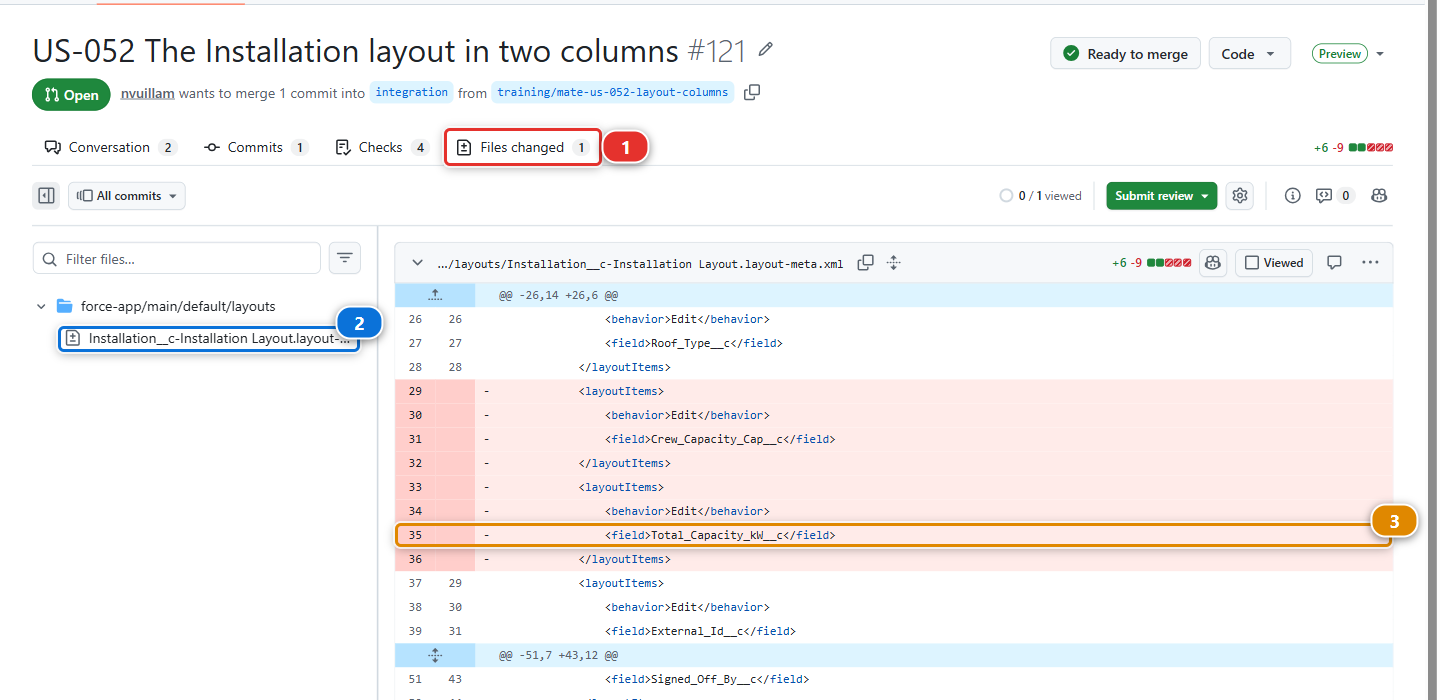
A cancelled installation is finished work, exactly like a completed one, and the rule's own description says finished work is exempt. Read it against the questions of Lab 3.2: it matches the story, nothing disappears, and it is reversible in one line.
Small, and its blast radius fits in one sentence: cancelled installations can be dated in the past again, and nothing else changes. That is a hotfix.
Part 2: to production
4. Merge it into preprod
When the check is green, Merge pull request (1):
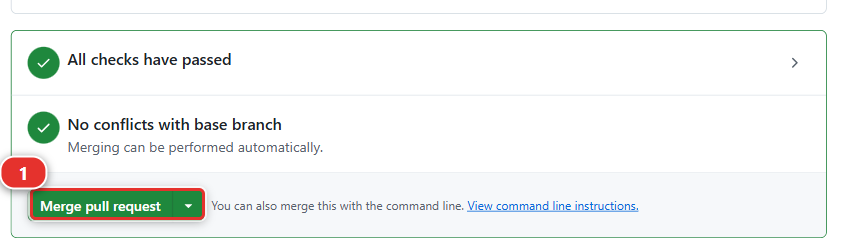
The deployment to helios-preprod follows on its own. That is the rehearsal, on an org that holds
what production holds, and it costs you two minutes.
5. Release preprod into main
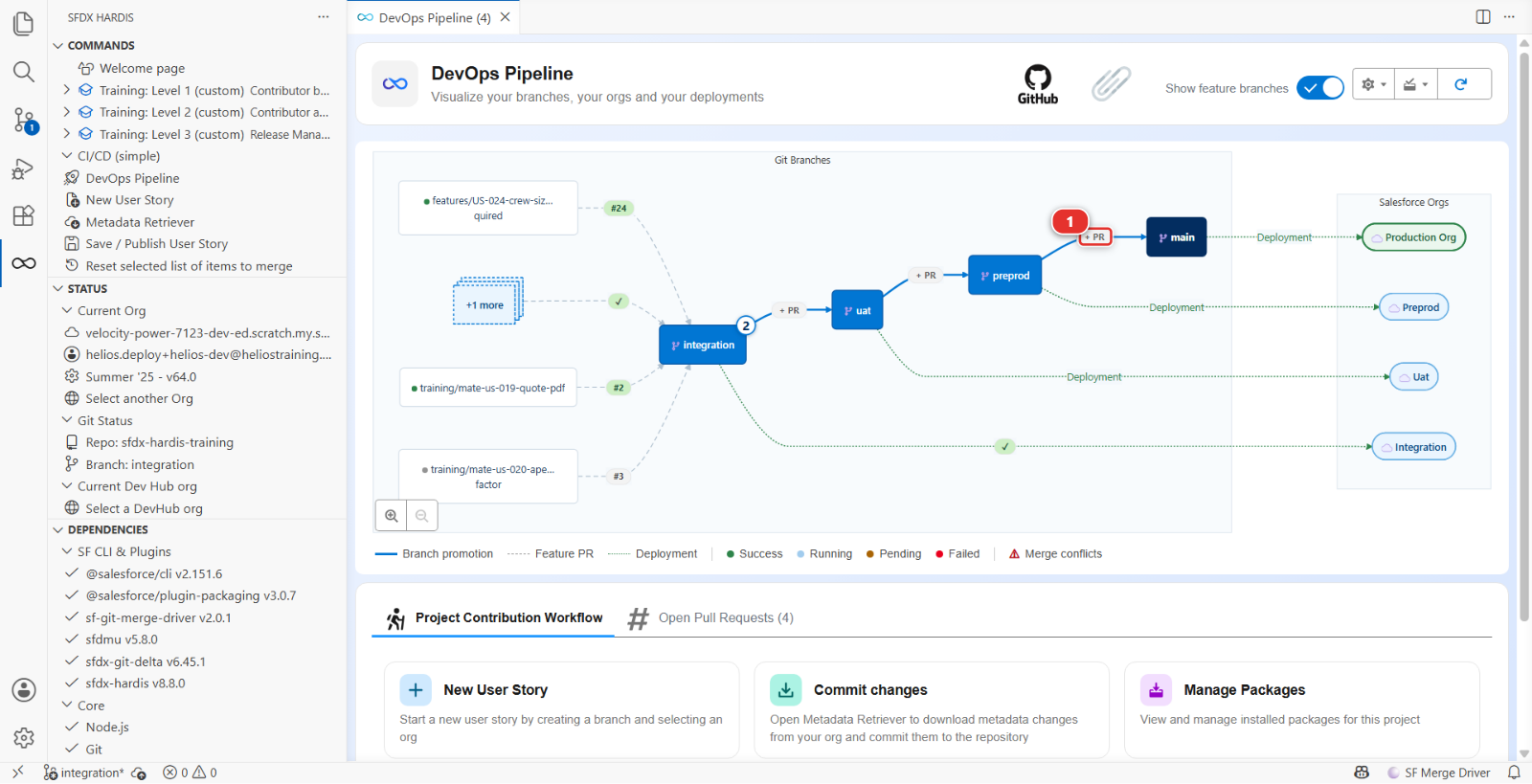
A + PR chip sits on each arrow between major branches in the DevOps Pipeline diagram. Click the
one on the arrow from preprod to main (1):
Title it plainly, and use the word Hotfix rather than Release, so that a year from now the
list of Pull Requests into main says which ones went the short way:
Hotfix US-045 to production
Its check deploys against production in validation mode, which is exactly what you want at 17:40: the same gate, on the real org, taking two minutes.
6. Confirm it is live
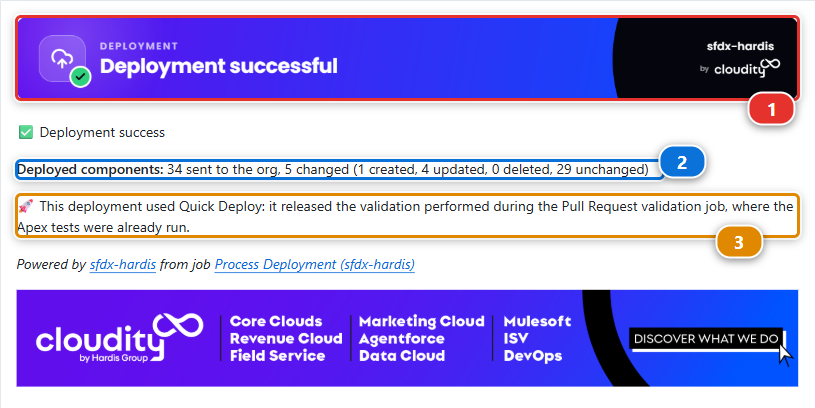
Merge, and watch the Process Deployment (sfdx-hardis) run on main. When it finishes, the
sfdx-hardis comment says what reached the org: the banner (1), the counts line (2), and the
tickets it recognised (3).
Then confirm it the way you reproduced it: cancel an installation in helios-prod, back-date it,
and save. It saves. The planners can close their week.
A deployment log is not a confirmation. The log says what Salesforce accepted. Only the org says whether the thing people complained about actually works now.
Part 3: the retrofit
7. Start the retrofit branch
main and preprod carry the fix. uat and integration do not. Leave it there and the next
story from integration that touches this rule deploys the old formula over it, and the incident
comes back on a day nobody is expecting it.
It is yours to do, not a contributor's: you are the one who knows what went live tonight, and a conflict between a hotfix and work in progress is a release manager's call.
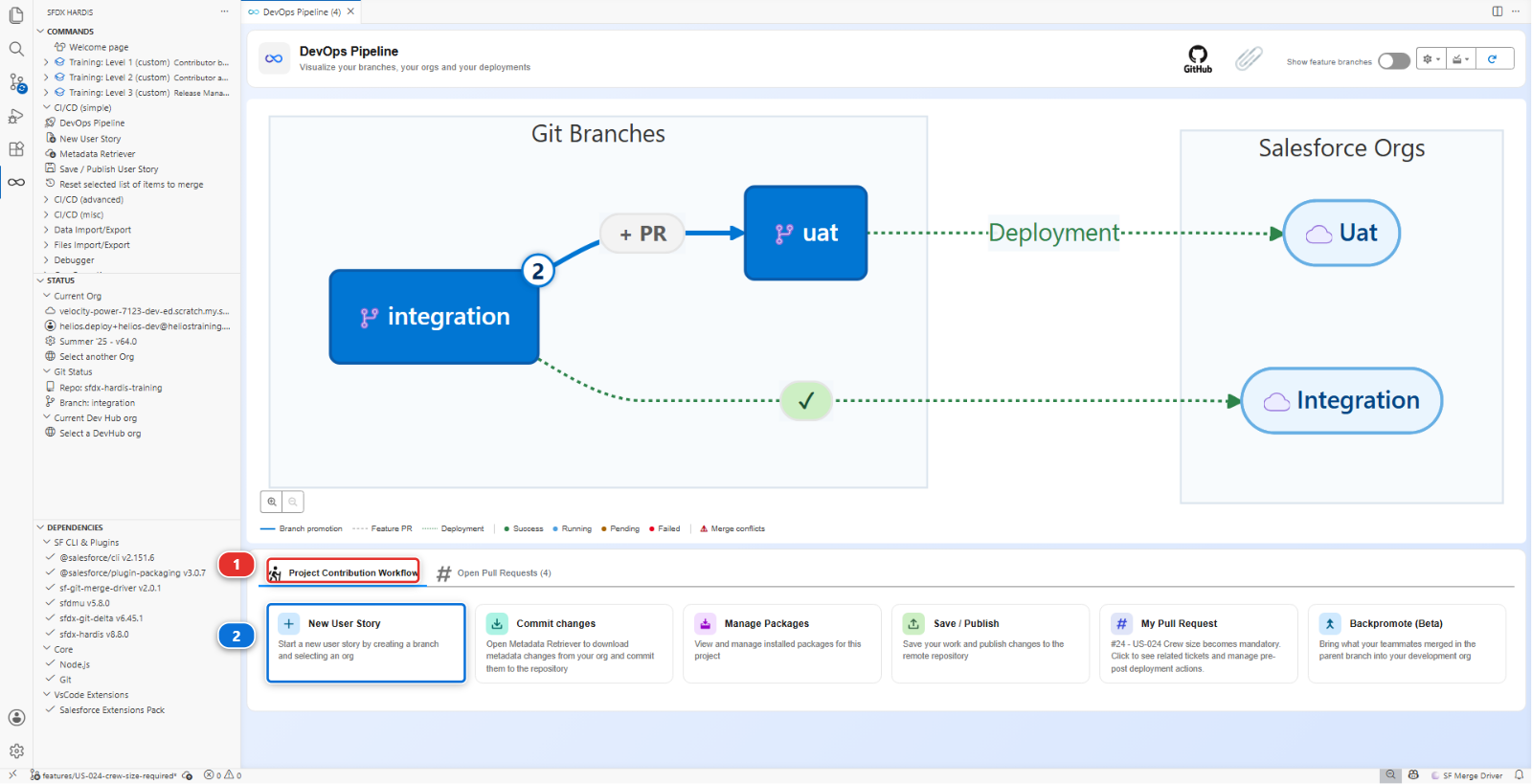
In the DevOps Pipeline panel, under Project Contribution Workflow (1), click New User Story (2):
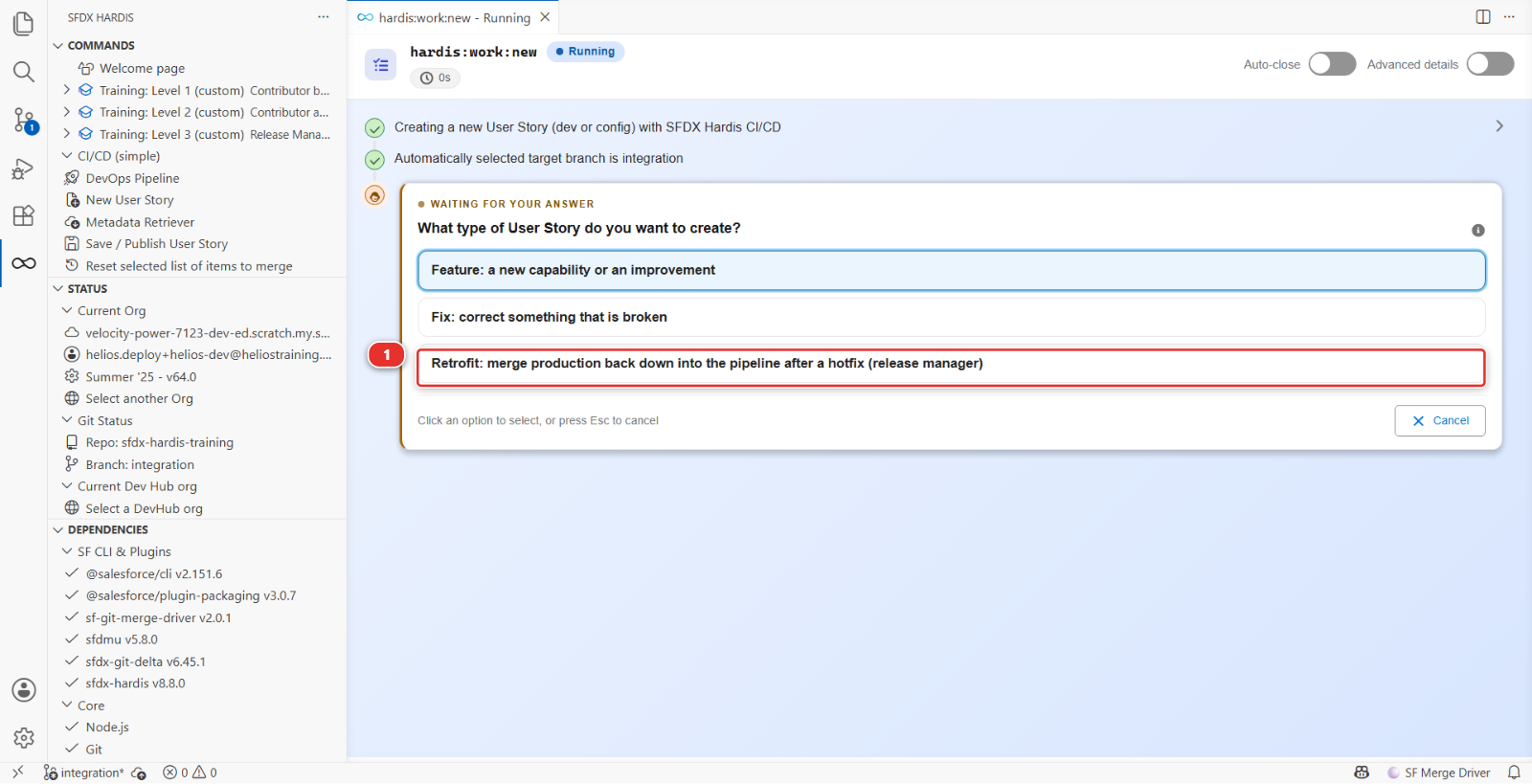
Take the third branch type, Retrofit: merge production back down into the pipeline after a hotfix (release manager) (1):
| Question | Your answer |
|---|---|
| Target branch | integration, the branch the retrofit goes back into |
| Type of branch | Retrofit |
| Name | US-045-retrofit, the story whose hotfix you are bringing back |
| Org to work in | helios-dev: nothing is built here, so the org hardly matters |
It creates retrofit/US-045-retrofit from the latest integration. The prefix is a line in
branchPrefixChoices, and it tells everybody reading the branch list that this is production coming
back down, not new work.
8. Merge main into it
First make sure your machine knows what went live. Open the Command Palette (View > Command
Palette, or Ctrl+Shift+P, Cmd+Shift+P on a Mac), type Git: Fetch and pick Git: Fetch
(1):
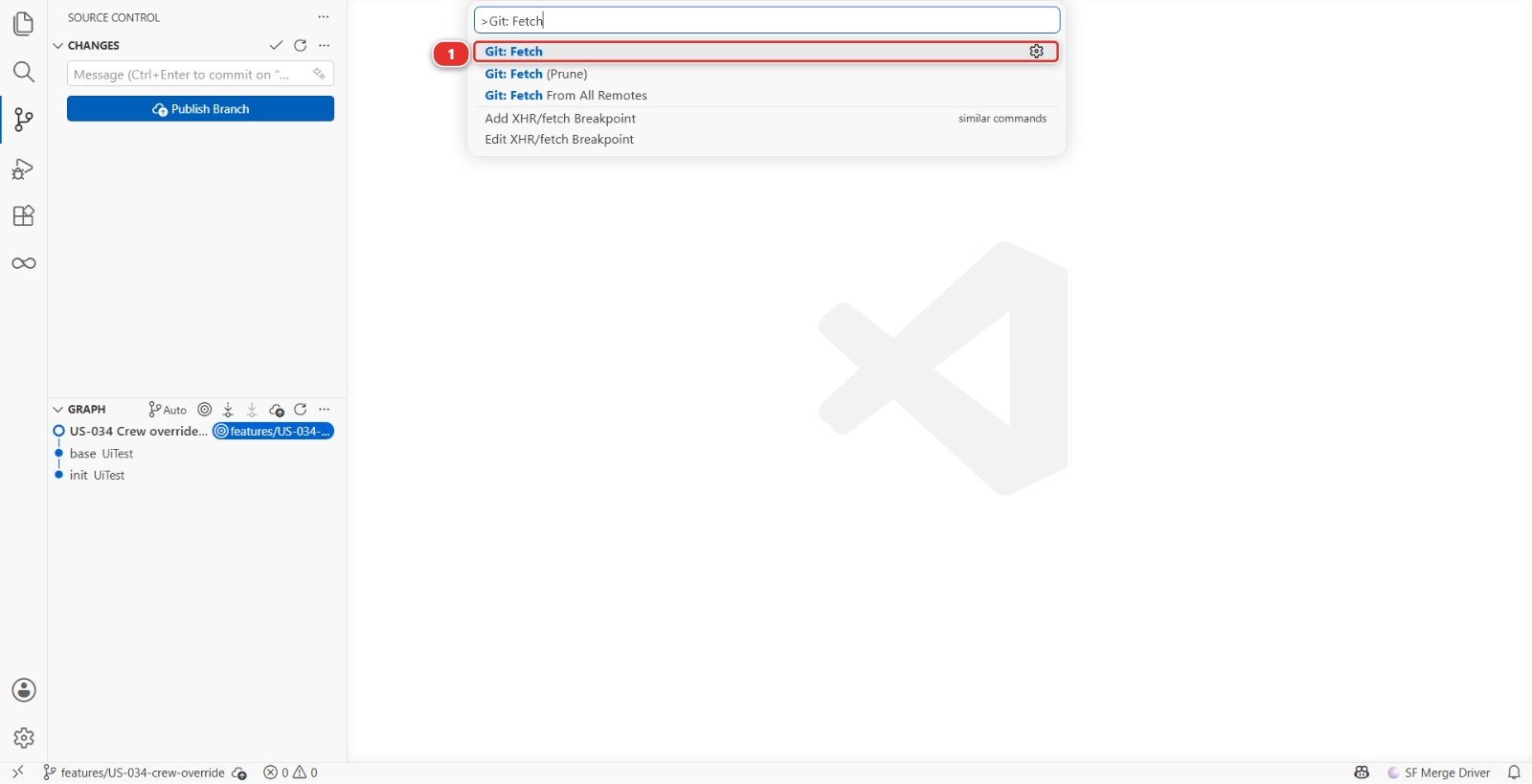
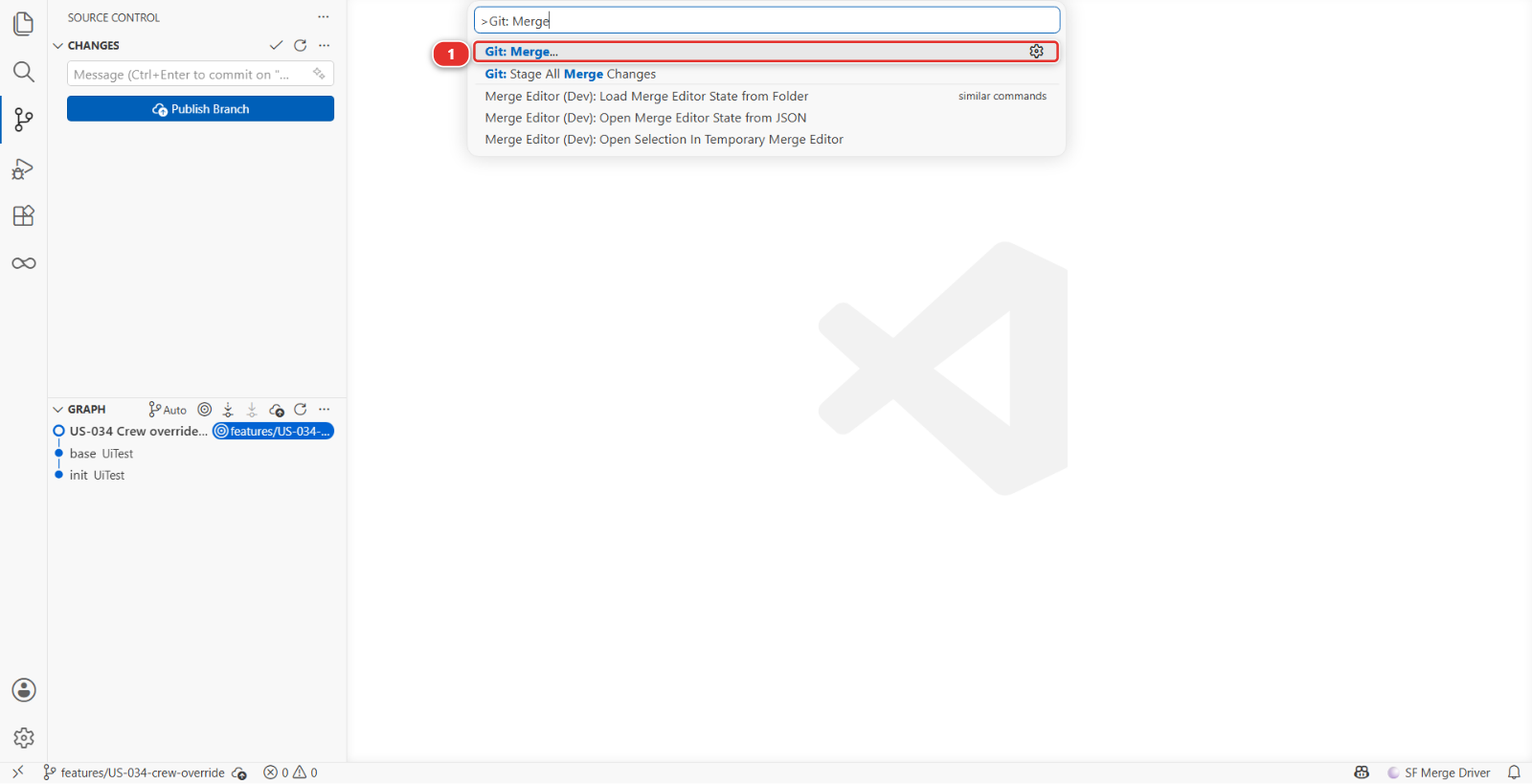
Then the Command Palette again, type Git: Merge, and pick Git: Merge... (1):
It asks which branch to bring in. Pick origin/main (1), listed under remote branches:
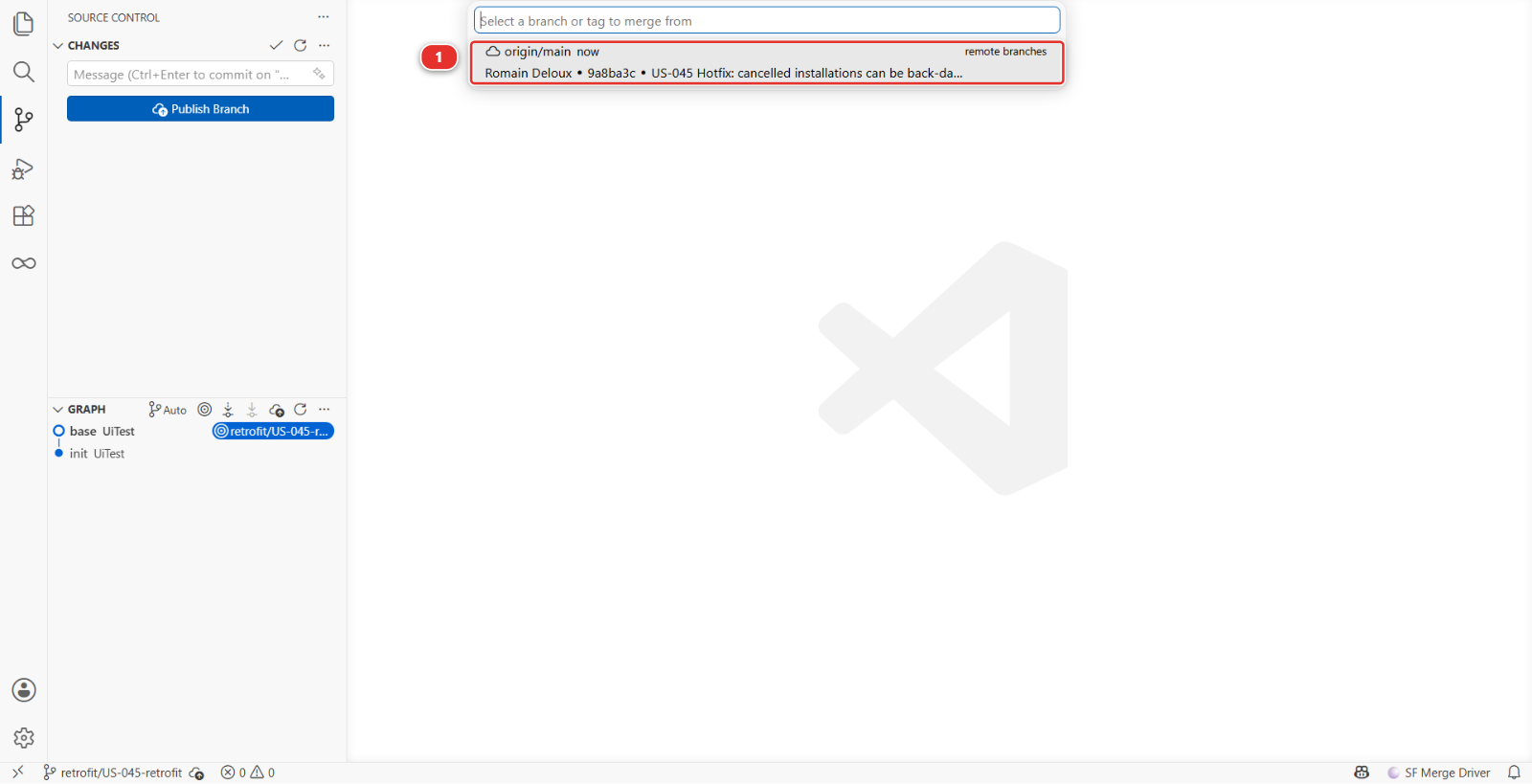
origin/main, not main
main on its own is the copy on your machine, which you have not updated since before the
hotfix, and merging it brings nothing down. origin/main is what production just deployed.
The list marks the remote ones, and this is the click the whole lab turns on.
Tonight this merges on its own: nobody else touched that validation rule this week. When it does
conflict, it is because somebody changed the same lines in integration, and the answer is the one
from Lab 2.7: open each file under Merge Changes, Resolve in Merge Editor, and keep both
intents, the hotfix exception and whatever integration added. Neither side loses its work.
9. Publish it, and merge it into integration
Save / Publish User Story, as in Lab 1.5. When it finishes, the actions bar along the bottom
starts with Create Pull Request (1). Beside it sit the package.xml the command generated
(2) and the deployment actions of this Pull Request (3): on a retrofit both are short, because
a retrofit carries what production already has and declares nothing new.
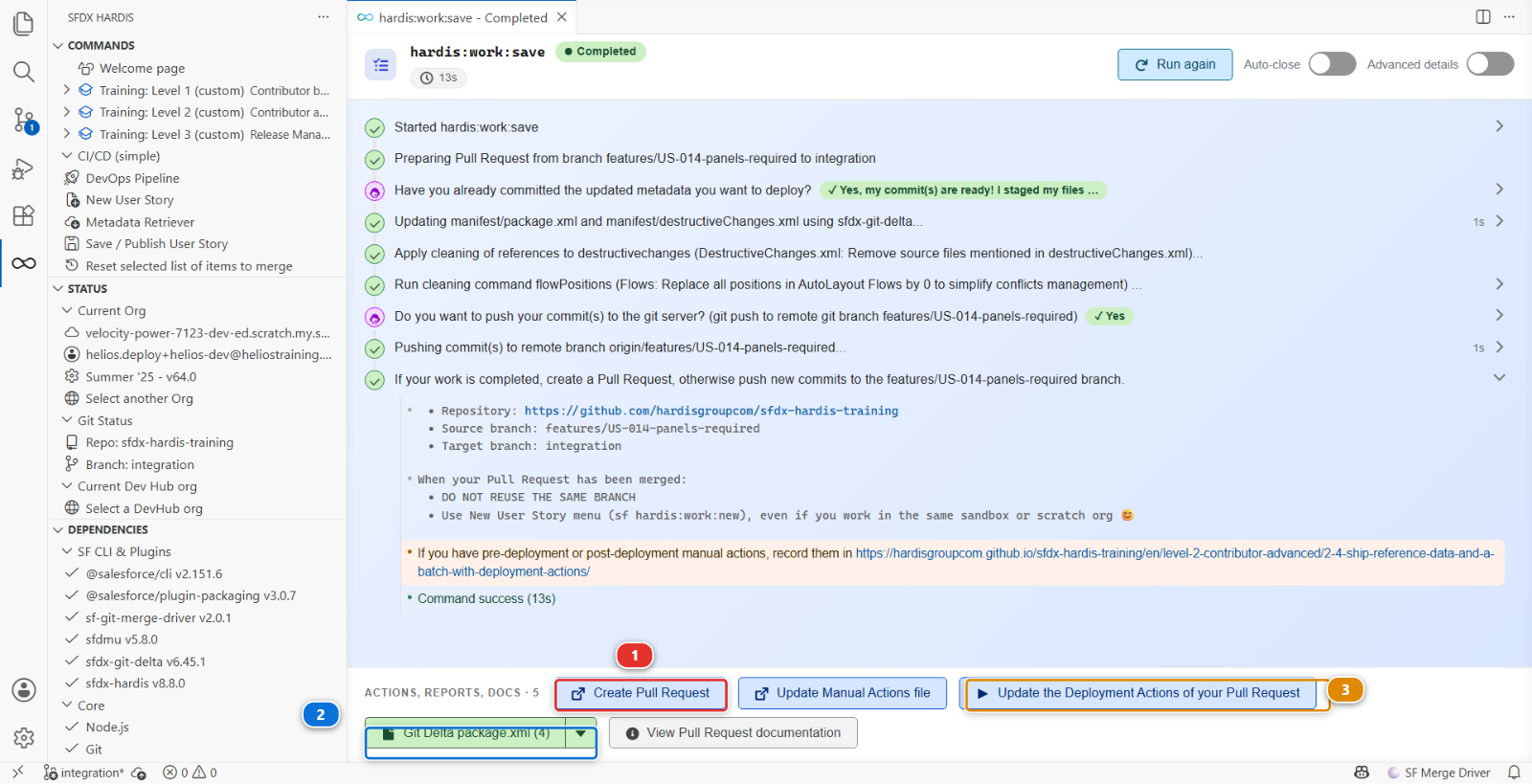
Open the Pull Request into integration, title it Retrofit: US-045 back down into integration,
wait for its checks, and merge it. integration now carries everything production carries, and the
next story built on it cannot take the fix away.
Under the hood: the hotfix and the retrofit, in commands
The hotfix used nothing special. Romain ran hardis:work:new with preprod as the target
branch, which cuts his branch from preprod, and hardis:work:save computed the package against
preprod. The pipeline treats preprod as any other major branch. What makes it a hotfix is the
target, not a mode.
The branch prefix is worth a second of thought, for a reason beyond tidiness: the DORA rework
rate of Lab 3.6 counts hotfix Pull Requests, and recognises one by a hotfix/, fix/ or
bugfix/ branch prefix. This project calls its fix branches fix/, so this one counts.
The retrofit is Git from end to end, and nothing is retrieved from any org:
git checkout -b retrofit/US-045-retrofit origin/integration
git fetch origin
git merge origin/main
# solve conflicts if git reports any, then commit
git push -u origin retrofit/US-045-retrofit
The direction is the whole point. Work normally flows up, from a story branch to integration
to uat to preprod to main. A retrofit is the one thing that flows down, and it exists
because a hotfix joined the pipeline above the branches the team works on.
Do it the same night. A retrofit put off until Monday is a retrofit that collides with a week of new work, and the merge stops being a formality.
What you should see
helios-prodsaves a back-dated cancelled installation- Three Pull Requests in your fork, in this order: into
preprod,preprodintomain, and the retrofit intointegration - The same
NOT(ISPICKVAL(Status__c, "Cancelled"))line onpreprod, onmainand onintegration
If it goes wrong
The Pull Request of the hotfix targets integration.
The simulation opens it into preprod. If you see integration, you are looking at a different
Pull Request: check its head branch is fix/US-045-installation-date-hotfix.
origin/main is not in the branch picker.
VS Code has not fetched it. Run Git: Fetch again, then Git: Merge.... Nothing in your files
changes when you fetch.
The merge brought nothing down.
You picked main rather than origin/main. Run Git: Merge... again and take the entry listed
under remote branches.
The retrofit Pull Request shows hundreds of changed files.
Your branch was cut from something other than the latest integration. Delete it and start step 7
again: New User Story always branches from the latest target.
The check of the retrofit fails on a deployment error.
Read it the way Lab 3.3 taught. A retrofit deploys what production already has, so an error here is
almost always a component that integration changed and main has not seen, not the hotfix itself.
Check your work
Training: Level 3 > Check my work.
It looks for the Cancelled exemption on preprod and on main, and for the same line on
integration: the hotfix shipped, and the retrofit brought it back down.
Go deeper
Next: Lab 3.8 - Monitor your production org