Lab 3.10 - Capstone: run a weekly release cycle
Level: 3 Release Manager
Time: ~45 min
You will: do a whole week in one sitting, with no step-by-step, and end with something you could show somebody.
The situation
Monday morning. Two Pull Requests are waiting, the business expects a release on Thursday, and nobody is going to tell you the order to do things in.
Before you start
- Labs 3.1 to 3.9 finished
- All four pipeline orgs working, all four branches deploying
The week
Monday: take in what contributors sent you
Two Pull Requests wait. US-020, open since Lab 3.4 and still failing. And a new one from Romain: Training: Level 3 > Simulate my teammates, and pick US-055 Install Date says which day it means.
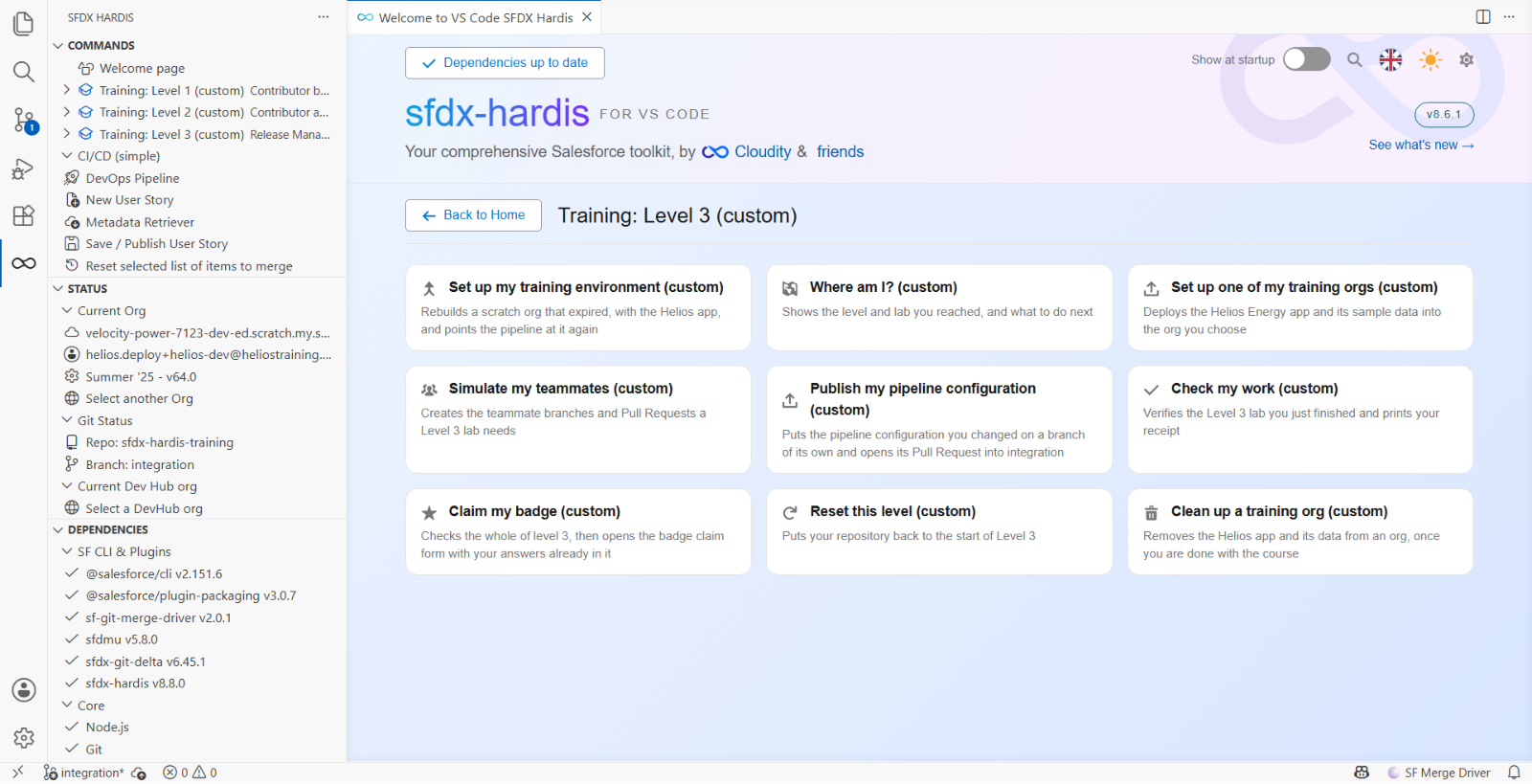
For each of the two:
- Read the sfdx-hardis comment
- Read the diff with the four questions from Lab 3.2: does it match the story, does anything disappear, are permissions on a permission set, is it reversible
- Merge it or send it back with a comment, and say why
US-020 still fails its check. It stays with its author, with the failure named. Do not fix it yourself: you review and merge what contributors send, and you do not write it for them.
Tuesday: merge and deploy to integration
Merge what is ready, in an order you can justify. Watch the deployment, read what it sent and what it skipped, and check the org afterwards.
Wednesday: promote to UAT
Create the promotion from integration into uat. Read the deployment actions it carries before
merging, and do the manual steps afterwards.
Verify in helios-uat that the stories are usable, not only deployed.
Thursday: release to production
Promote uat into preprod first, and check helios-preprod behaves. Then create the release, the Pull
Request from preprod into main, titled Release .... Read the counts line in the sfdx-hardis comment and stop if anything is being
deleted that you were not expecting. Merge, watch, verify, do the manual steps.
Everything Lab 3.7 put in at preprod is already in main, so this release should not be moving
it again. Read the counts line with that in mind: what goes out this week is Romain's help text and
the retrofits travelling up from integration, and deleted: 0 is still the number to stop on.
Then generate the release notes of the release to main, add the sentence at the top that says what
this release is for, and put them in the description of the Pull Request from preprod into
main, the way Lab 3.5 did for uat.
Friday: measure
Set helios-prod as your default org in Orgs Manager, so the report measures production rather
than your sandbox, then run the DORA report and compare it with the baseline you took in Lab 3.6.
Then read back over the week, and answer three questions for yourself, the ones a successor would ask:
- What went out this week, and where are its release notes? In the description of the release Pull Request
- What did not, and why? US-020, sent back with its failure named
- What did you have to do by hand? Every manual step is a candidate for a deployment action next time
What makes this the capstone
Nothing here is new. Every step is a lab you have done. What is new is that nobody told you the order, and the order is the job.
Three decisions you had to make without a lab telling you:
- Which Pull Requests go into this release and which wait
- Whether the failing one blocks the release
- Whether the manual steps are acceptable, or whether the release waits until somebody automates them
Those three are what a release manager is for. The tooling handles everything else, which is the point of having it.
What you should see
- Two Pull Requests reviewed, one merged, one sent back with a reason
integration,uat,preprodandmainall carrying the release, in that order, each through its own deployment- Release notes in the description of the release Pull Request, with a human sentence at the top
- A second DORA report to compare with the baseline of Lab 3.6
If it goes wrong
A check fails and names a lab you are sure you did.
Read what it says it looked for. The checks assert outcomes on the integration branch, not effort:
a story built in your org but never merged does not count, and neither does one merged into a branch
that is not integration.
The Lab 3.7 check says the hotfix is not in integration.
The hotfix reached main in Lab 3.7 part 2, and part 3 is what brings it back down. If you stopped
after the release, go back and do the retrofit: the check reads both branches, because a fix that
production has and integration has not is a fix the next story quietly removes.
A teammate simulation says there is nothing to commit. That story is already merged. Each teammate story merges once per level, and the ones Level 3 uses are listed in each lab. Nothing is wrong: move on.
A deployment is green and the feature is not in the org. Open the log and find Listing Post-deployment actions. If it says none were defined, the actions never ran, and Lab 2.4 explains what to do about it. A green job proves the metadata went in and nothing else.
The whole thing is too much to finish in one sitting. It is meant to be a week. Stop at the end of any day: each one ends with something merged, and nothing carries an unfinished state into the next.
Check your work
Welcome page > Training: Level 3 > Check my work, then pick Everything in level 3.
Ten checks.
Claim your badge
Welcome page > Training: Level 3 > Claim my badge.
A Level 3 claim re-runs the Level 1 and Level 2 audits first. That is how the prerequisite is enforced, because a Trailmix cannot gate anything. The command runs those same audits on your machine before it opens anything, so you find out here rather than on the issue.
If the course helped you
hardisgroupcom/vscode-sfdx-hardis is the extension every click of this course went through. A star is how an open source project stays visible. It is up to you: the badge does not depend on it.
The badge is sfdx-hardis Release Manager.
What to do with all this
Three things worth doing in the week after you finish, in order of usefulness:
One: take the setup checklist to your own project. The setup checklist is the list of everything a real pipeline needs. You have now done most of it once. Go through it against whatever project you actually work on and count what is missing.
Two: delete your training orgs, or keep them deliberately. The scratch orgs delete themselves
after 30 days. The two Developer Edition orgs holding a fictional solar company are fine to keep as a
place to try things, and helios-prod stays a Dev Hub you can create scratch orgs from. If you keep
them, delete the SFDX_AUTH_URL_INTEGRATION and SFDX_AUTH_URL_UAT secrets if they are somehow
still there, and remember the JWT certificates in your fork (your own copy of the course repository on GitHub, for example github.com/my-username/sfdx-hardis-training) are real credentials to real orgs.
Three: the promotion branches feature. Everything you did promotes everything waiting from one branch to the next. Some teams need to promote a subset. That is what promotion branches are for, it is experimental, and it will make sense to you now in a way it would not have three levels ago.
Thank you
If a lab was unclear, wrong, or assumed something it should not have, say so: open an issue on the training repository. The labs that are hardest to follow are usually the ones nobody reported.