Level 2 - Salesforce DevOps contributor advanced
Time: about 4 h.
Before you start: Level 1. Not optional: every lab here assumes the loop is automatic for you.
The story
Three months in. You have delivered a dozen stories and the loop is muscle memory. Then the ones that do not go through start arriving.
A deployment that fails on a dependency nobody told you about. A field that cannot be made required because the org already holds thirty records without it. Reference records and a nightly batch that have to follow your change into every org, and no deployment will carry them for you. Mariia, who edited the same flow and the same permission set as you and merged first.
This is the half of the contributor path that decides whether you enjoy working on a CI/CD project.
What you will do
| Lab | Title | Time |
|---|---|---|
| 2.1 | Backpromote: catch your org up with the team | 15 min |
| 2.2 | Fix a deployment error caused by a missing dependency | 25 min |
| 2.3 | Fix broken records with an Apex deployment action | 30 min |
| 2.4 | Ship reference data and a batch with deployment actions | 30 min |
| 2.5 | Pass the code quality gate and Apex test coverage | 30 min |
| 2.6 | Permission sets, profiles and why a grant disappears | 25 min |
| 2.7 | Resolve a Git merge conflict with a teammate | 35 min |
| 2.8 | Recover from committing the wrong metadata | 20 min |
| 2.9 | Capstone: deliver a User Story that has it all | 30 min |
The Training menu
Everything this course asks you to run outside the product's own buttons lives in one menu. Open the Welcome page, and under CUSTOM MENUS click the Training: Level 2 card. Its commands take over the page:
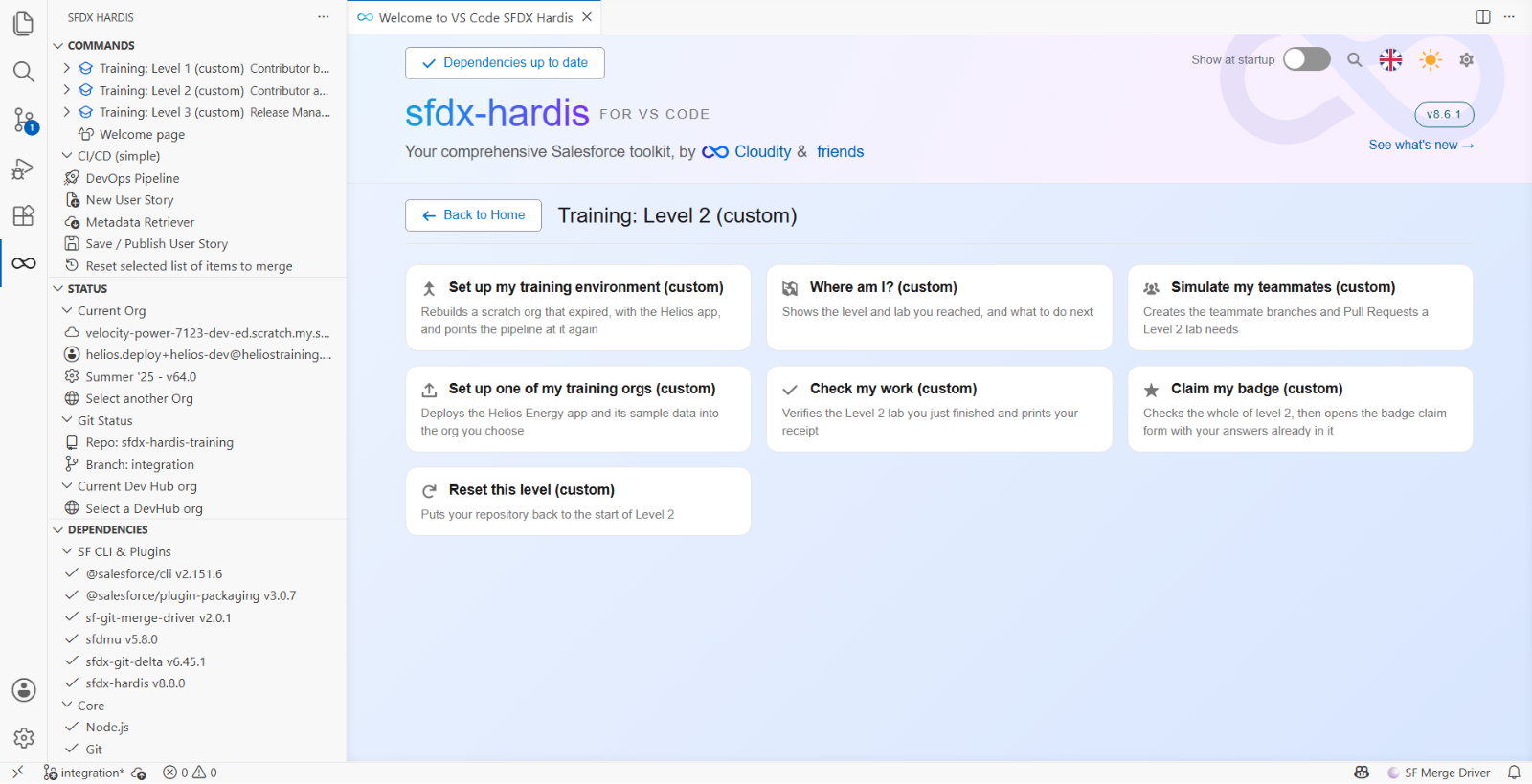
Seven of them, and the labs call them by these names:
| Command | What it does |
|---|---|
| Set up my training environment | Rebuilds a scratch org that expired, and points the pipeline at it |
| Where am I? | Says which level and lab you reached, and what to do next |
| Simulate my teammates | Creates the teammate branches and Pull Requests a lab needs |
| Set up one of my training orgs | Deploys the Helios app and its data into an org you choose |
| Check my work | Verifies the lab you just finished and prints your receipt |
| Claim my badge | Checks the whole level, then opens your badge claim filled in |
| Reset this level | Puts your repository back to the start of Level 2 |
There is one menu per level, and each holds only what that level needs, so nothing in front of you is for a lab you have not reached.
The same commands are in the SFDX HARDIS view of the left bar, under Training: Level 2. Either route runs the same thing.
If you are joining here
You can start Level 2 without having done Level 1, as long as you accept that the labs assume the loop. Get to a known state first:
- Do Lab 1.1 and Lab 1.2 in full: tools, your Developer Edition org, the scratch orgs, fork, Actions, the secrets
- Welcome page > Training: Level 2 > Reset this level
That puts your integration branch at training/start-level-2, which is what the repository looks
like once Level 1 is done.
If you are coming back after a break
The three scratch orgs Level 1 created live 30 days. If Orgs Manager no longer lists one of them as Connected, it expired: Welcome page > Training: Level 2 > Set up my training environment. It creates a new one with the Helios app, points the pipeline at it, and leaves the others alone.
A new helios-dev starts from the app as it ships, without the stories you already merged. Lab 2.1
is precisely how you bring them in.